How to Use One Palette for Both Light and Dark Mode
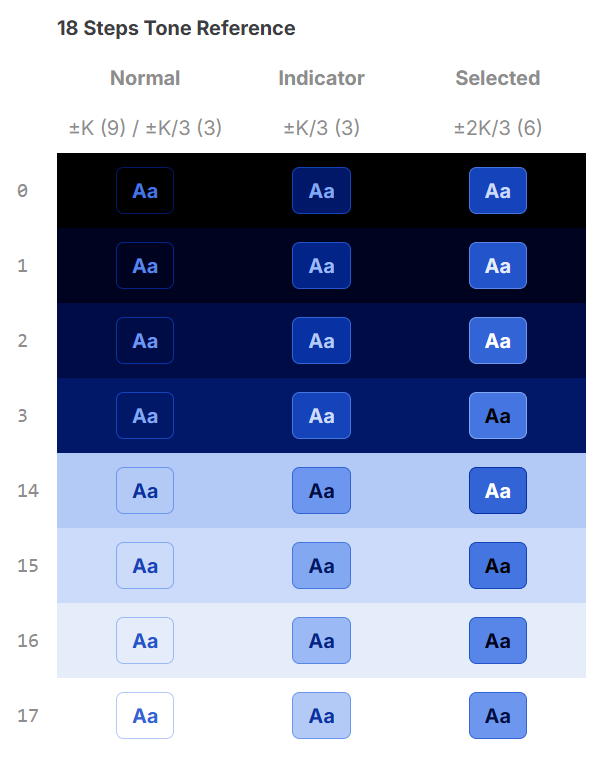
The common approach to dark mode: build a light palette, then build a separate dark palette. Different shades, different tokens, double the maintenance.
There's a simpler model. A single palette with enough steps can serve both modes — not by inverting it, but by reading it from opposite ends.
The Same Ramp, Two Directions
A color ramp is a sequence from dark to light. For light mode, you use light shades as surfaces and dark shades as text. For dark mode, you use dark shades as surfaces and light shades as text.
The ramp doesn't change. The direction you read it does.
For a 12-step palette with contrast span K=6:
| Role | Light Mode | Dark Mode |
|---|---|---|
| Page background | shade 11 (lightest) | shade 0 (darkest) |
| Surface (card) | shade 10 | shade 1 |
| Text (primary) | shade 2 | shade 10 |
| Text (secondary) | shade 4 | shade 8 |
| Border | shade 8 | shade 4 |
| Brand fill | shade 5 | shade 5 |
The same 12 shades. The same K=6 guarantee. Both modes are accessible without a separate check.
Why This Works
Contrast span K is symmetric. If shade 2 and shade 8 have ≥4.5:1 contrast (distance 6 = K), then shade 8 and shade 2 also have ≥4.5:1 contrast. The pair doesn't care which one is text and which is background — contrast ratio is the same in both directions.
So the rule is identical for both modes: keep text and background at least K steps apart. Light mode reads up the scale. Dark mode reads down. The guarantee holds in both directions.
Token Structure
This maps cleanly to a two-token system:
/* Light mode */
:root {
  --color-bg: var(--shade-11);
  --color-surface: var(--shade-10);
  --color-text: var(--shade-2);
  --color-text-secondary: var(--shade-4);
  --color-border: var(--shade-8);
}

/* Dark mode */
[data-theme="dark"] {
  --color-bg: var(--shade-0);
  --color-surface: var(--shade-1);
  --color-text: var(--shade-10);
  --color-text-secondary: var(--shade-8);
  --color-border: var(--shade-4);
}
One palette definition. Two theme overrides. No second ramp needed.
The Middle is Shared
The center shades of the ramp — near the base color — work identically in both modes. Shade 5 on a light background (shade 11) is readable. Shade 5 on a dark background (shade 0) is also readable, because the distance to both ends exceeds K.
This is where brand fills, accent colors, and interactive elements live. A button using shade 5 as its background can use shade 11 (light mode) or shade 0 (dark mode) as its text color — both clear K.
The center of the palette is the neutral zone that belongs to neither mode. It reads correctly in both.
What Breaks This
Two things cause the single-palette approach to fail:
1. Not enough steps. A 10-step palette with K=6 leaves only 4 steps for the non-text zone. Light and dark surfaces have very little room to differentiate. 12 steps is the practical minimum; 14 or 16 gives more comfortable separation.
2. Uneven lightness distribution. If the ramp clusters too many shades in the middle, the extremes become visually indistinct. Shade 0 and shade 1 look identical in dark mode. Shade 10 and shade 11 look identical in light mode. The surface and its background blend together.
Both problems are measurable. Chromametry scores contrast efficiency (how many steps are accessible) and lightness linearity (how evenly the ramp covers the range). Palettes that score well on both will work reliably in a two-direction model.
Multi-Hue Palettes
The same principle extends to palettes with multiple ramps — a neutral gray plus one or two accent colors.
The neutral ramp drives backgrounds, surfaces, and text. The accent ramps provide fills and interactive states. In dark mode, swap the neutral direction; leave the accent ramps untouched. The accents read correctly against both light and dark neutrals because they were built to have sufficient contrast across the full range.
This is how IBM Carbon and Adobe Spectrum handle it. IBM Carbon's gray ramp (12 steps, K=6) uses gray-10 through gray-100 as surfaces in light mode and reverses to gray-100 through gray-10 in dark mode — the same 12 shades, the same K=6 distance rule, both modes accessible. The benchmark score for IBM Carbon is 88.46 — the bidirectional model works because K=6 is exactly N/2, guaranteeing every shade has a valid text color in both directions.
Practical Takeaway
A palette designed for single-direction use is designed for half the product. Before finalizing a palette, verify it in both directions:
- Assign surface and text roles for light mode. Confirm K distance.
- Reverse: assign the same roles from opposite ends. Confirm K distance.
- Check that the midrange shades (±2 steps from center) work as fills against both extremes.
If all three pass, the palette works for both modes without a second ramp.